After purchasing the module, follow the below steps:
Step 1: Login to your account
Step 2: Go to My Services & select Cashapp license that you just bought
Step 3: Click download now
Step 4: Extract the downloaded files & copy them to your whmcs installation (As per your PHP version)
Step 5: Go to your whmcs panel -> Settings -> Payment Gateways -> enable the cashapp module.
Step 6: Enter the license key that you can see in Step 2
Step 7: Fill in your cashapp details Which includes Cashtag, Email (being used in cashapp, you can check in your cashapp profile)
Step 8: Click Save & then follow the below steps if you've gmail.
Step 9: If you need help with anything, feel free to open a ticket :)
Below are the steps on how to forward emails to our address
Step 1: Go to "Settings" on top right corner.

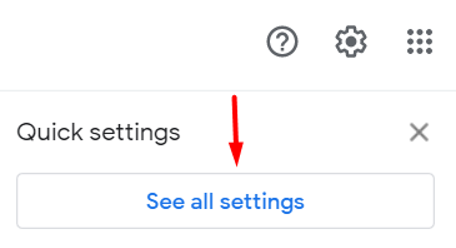
Step 2: Go to See all settings
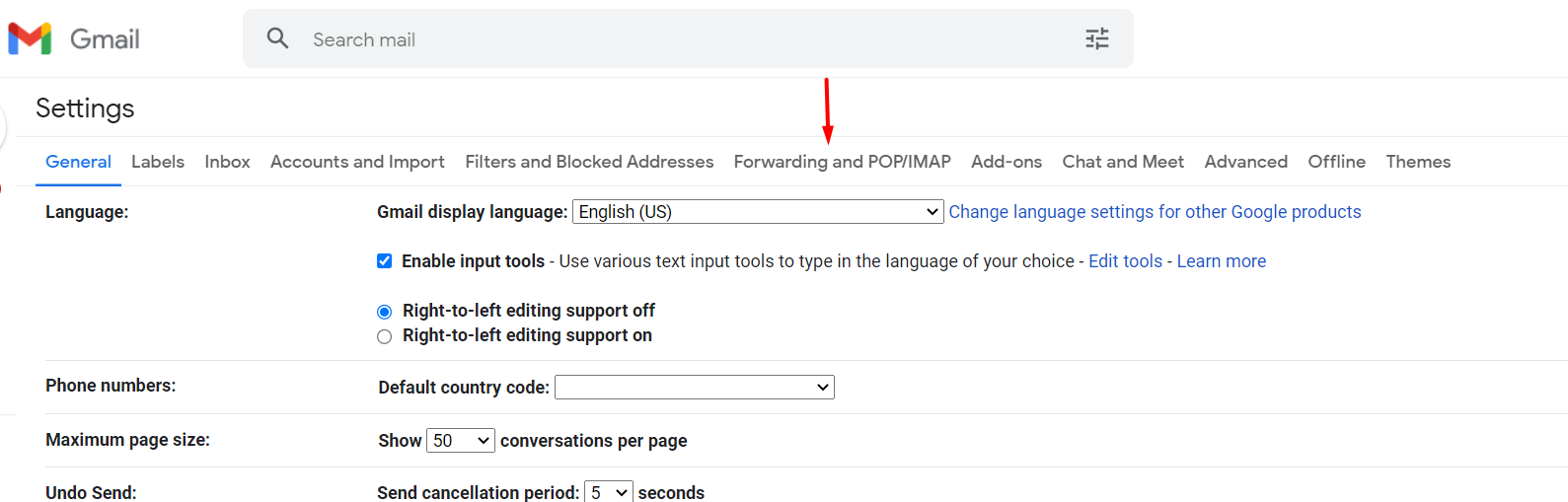
Step 3: select "Forwarding and POP/IMP " tab
Step 4: select "Add a forwarding address"

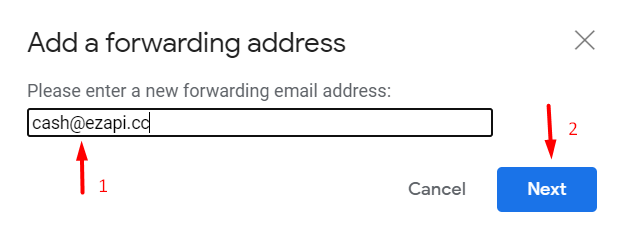
Step 5: Insert email cash@ezapi.cc in text box and select Next
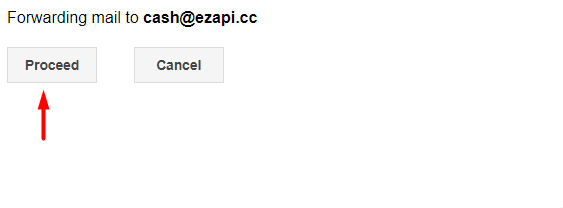
Step 6: A popup will appear select "Proceed"
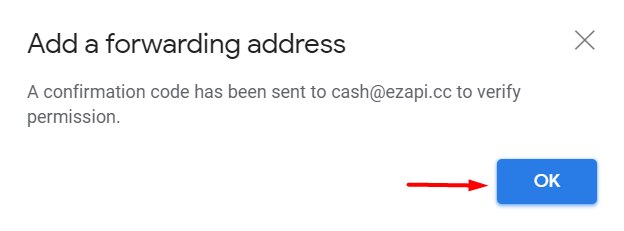
Step 7 : select "OK"
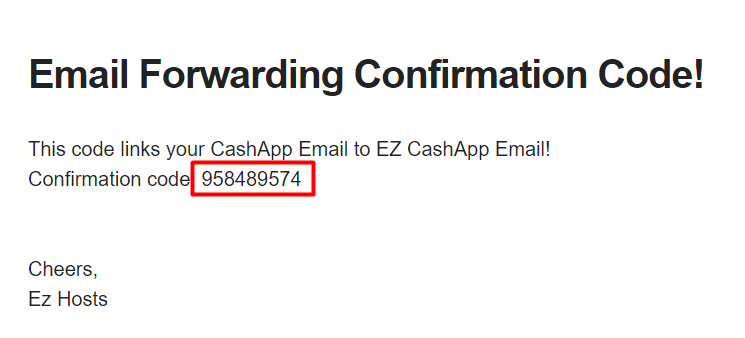
Step 8 : Open gmail in a new tab you will receive a mail open that mail & copy the given code.
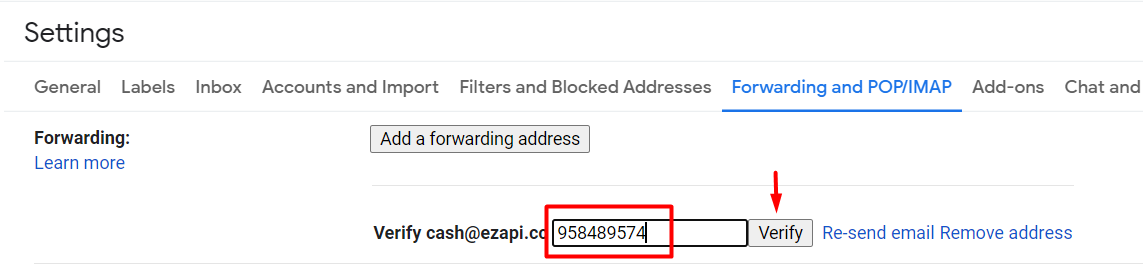
Step 9 : Go back to previous tab and insert copied code and click Verify.
Step 10: Select filter option

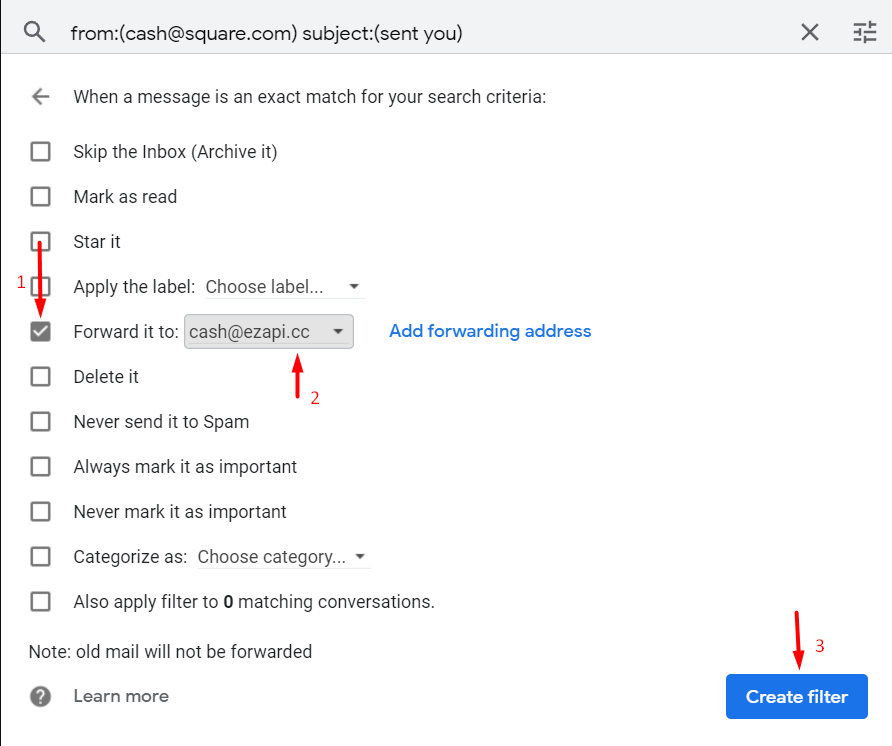
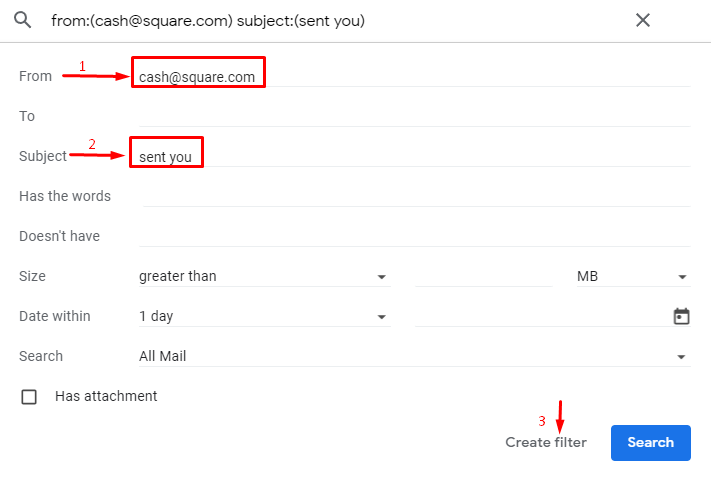
Step 11: Enter cash@square.com in From, Enter sent you in Subject & select Create filter.
Step 12: select "Forward it to" & select "cash@ezapi.cc" then select Create filter.